A humanoid robot spends energy every time it lifts a foot, holds its balance, or moves a joint against gravity. The machines that use less power will run longer, shed less heat, and need smaller batteries for the same work.
That makes energy use a design problem, not a battery problem alone. The useful question is how each part of the robot cuts waste while carrying out a real task.
- Motion costs power: walking and holding a pose can drain energy before the robot touches an object.
- Heat limits work: motors, drives, and batteries lose performance as temperatures rise.
- The task sets the target: a factory picker needs a different power plan from a research platform.
Where humanoids spend energy
A humanoid uses power in three main ways: moving its body, keeping balance, and handling a load. Each motor must produce torque, which is the turning force that moves a joint. The more weight a joint supports, the more torque it needs.
Walking adds another demand. The robot must place each foot, shift its center of mass, and stop the body from falling between steps. A slow, stiff gait may waste power because many motors keep working at once. A well-timed gait lets the body and legs share the work through motion.
Holding still can also cost plenty. A knee or hip may need constant motor force to keep a joint at one angle. Designers can reduce that load with springs, counterweights, brakes, or mechanical links that carry part of the weight without drawing power.
Batteries are only one part of the answer
A larger battery adds mass. That extra mass then raises the force needed to walk, climb, and stop, which can cancel part of the extra stored energy. Engineers therefore have to compare battery size with the weight of the battery itself.
Regenerative braking offers another route. When a joint slows down, its motor can act as a generator and send some electrical energy back to the battery. The return is limited by the motor, drive electronics, battery, and task, so it cannot recover all the energy spent earlier.
Power electronics matter too. A motor drive controls the current sent to the actuator. Losses in that drive become heat. Heat may force the robot to reduce speed or stop while it cools.
Better control can reduce waste, but it cannot remove the physical cost of lifting a heavy arm or payload.
Software can cut waste before hardware changes
A robot does not need to move every joint at full speed. Motion planning can choose a slower arm path, a shorter step, or a pose that keeps the center of mass closer to the support area. Those choices can reduce motor work while leaving the task unchanged.
The control system also decides how firmly the robot holds an object. Too little force causes a slip. Too much force spends energy and may damage the object. Force control, which adjusts grip from sensor readings, helps the robot use the amount of effort the task needs.
Force control also changes the energy math: a firm grip can raise motor load even when the robot holds the same object. Robot24.com robotics coverage can tie that claim to a named robot, task, battery, and test date. The hard limits come next, where grip force meets motor heat and battery capacity.
The hard limits
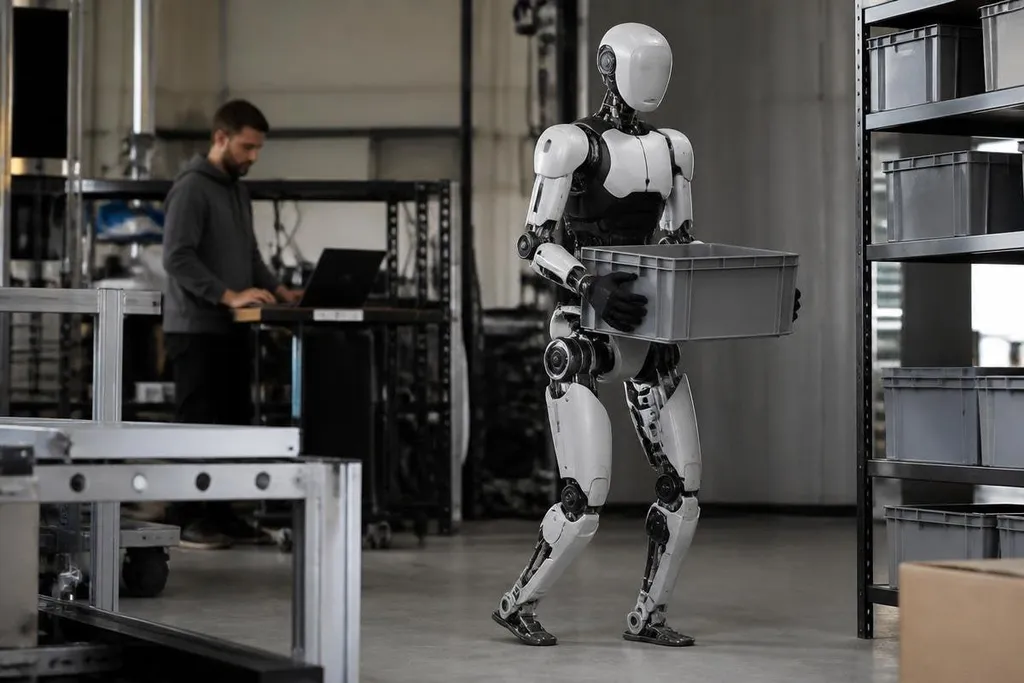
Energy use depends on the job. A robot carrying a light box across a level floor has a different load from one climbing stairs, recovering from a push, or working with a heavy tool. A single runtime figure cannot describe all of those cases.
Manufacturers also need to state how they measure power. Does the figure include the computer, sensors, cooling fans, and battery losses? Does it cover walking, manipulation, or a robot standing in place? Without those details, two runtime figures may describe different tests.
I’d judge an energy claim by the task and the measurement method, not by battery size alone. A smaller battery can be the better choice if the robot wastes less power during every step.
A buyer’s checklist
Before comparing humanoid platforms, check these points:
- Name the task: record the payload, distance, walking speed, and hours per shift.
- Check the test: ask whether the figure includes onboard computing, sensors, and cooling.
- Measure heat: find out when the robot slows down or stops as temperatures rise.
- Ask about recovery: check whether braking energy returns to the battery during the task.
- Price the battery: include charging equipment, spare packs, and the time needed to change them.
The next useful measure will be energy per completed task, such as a box moved or a shelf reached. Until makers publish that figure with the task and test method, a humanoid’s battery runtime tells you only how long it can run, not how much work it can do.